
Concert Archives
Concert Archives LLCEvents
4.8100.00 Reviews
- Version
- 10.2.2
- Installs
- 50.00K
- Age Rating
- Teen
Screenshots
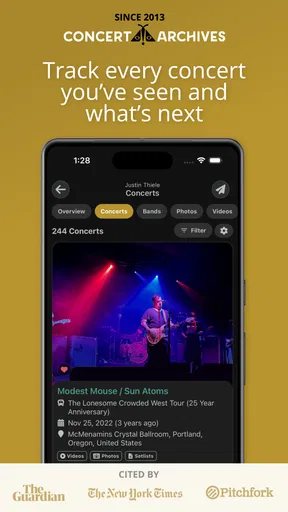
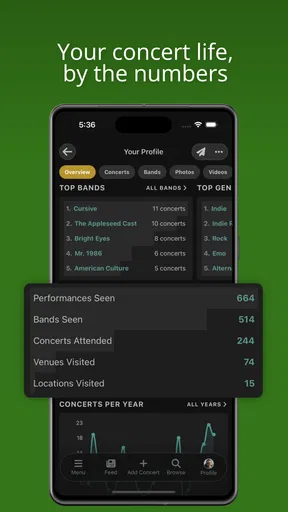
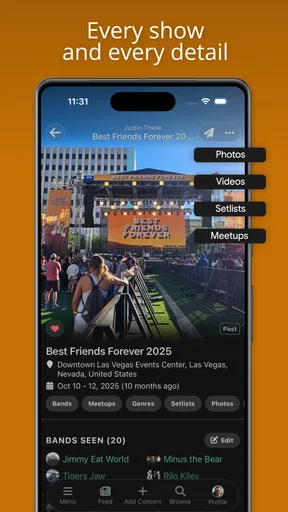
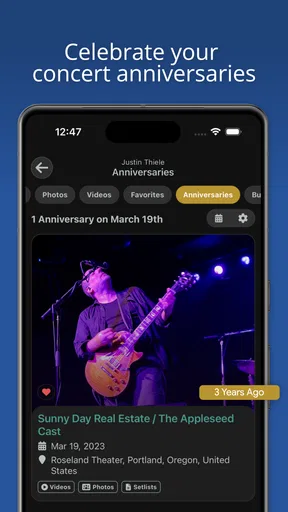
Our Review of Concert Archives
 Analysis by Appyee
I installed Concert Archives expecting a simple concert log, but it feels more useful when treated as a personal music record with a social layer attached. The app comes from Concert Archives LLC and sits in the Events category, although its real appeal is less about discovering a single upcoming event and more about remembering where I have been, what I saw, and how my live-music history connects with other fans.
That distinction matters. If you only want a fast way to buy a ticket, check a venue schedule, or receive alerts for one artist, this probably is not the first app I would reach for. If you regularly attend shows and want one place to organize those experiences, compare memories with friends, and browse a broader concert archive, it has a much clearer purpose. I found it most enjoyable when I used it as a long-term diary rather than as a replacement for every other event tool on my phone.
What makes the app worth trusting as a concert diary
The public profile gives the app a useful sense of maturity without making it look like a giant mainstream platform. It has passed the fifty-thousand-install mark, carries a 4.8 average from around 767 ratings, and has about 100 written reviews. Those figures do not prove that every concert entry is perfect, but they do suggest that the service has found a committed audience among people who care enough about live music to document it.
I also like that it is free to use. That removes the awkward decision of paying before knowing whether I would actually maintain a concert diary. The app was released on February 15, 2021, and the current version is 10.2.2. It supports Android 7.0 and later, so the compatibility range is broad enough for many older phones. Its Teen content rating is sensible for a social music community, though parents should still remember that any user-oriented service deserves the usual attention to account activity and sharing choices.
The developer name is visible as Concert Archives LLC, which is preferable to an anonymous utility with no clear identity behind it. For me, trust starts with knowing what kind of service I am opening: this is a community archive built around concerts, not a general-purpose social network pretending to understand music. That focus makes the experience easier to judge. I am not handing over attention to an endless feed with no purpose; I am entering a place organized around shows and artist history.
Still, a recognizable developer and strong user response should not be confused with a guarantee about every privacy detail. I would check the app’s current permission prompts and account settings during setup rather than accepting everything automatically. The safest approach is simple: allow only what is needed for the way I intend to use the app, and revisit those choices if I later stop using a feature.
Starting with a useful concert history
The first challenge is not learning the interface. It is deciding how much of my past I want to reconstruct. A concert diary becomes valuable over time, but entering years of shows in one sitting can feel like homework. I recommend beginning with recent concerts and a few especially memorable older ones. That gives the personal archive shape without turning the first session into a data-entry project.
When I add a show, I think of the entry as a small memory anchor rather than a complete review. The artist, venue, and date are the practical details; the emotional reason I remember the night is what makes the record worth keeping. A brief note about who I went with, the opening act, or the one song that changed the evening can be more useful later than a long paragraph written while the memory is still fresh.
One of the less obvious benefits is that the archive can expose gaps in my own memory. I may remember seeing an artist but forget whether it happened at a festival, a small club, or a larger venue. Looking back through old entries encourages me to clean up those loose ends while I still recognize the context. I would not treat the result as an official historical record, but it is a strong personal index.
My practical tip is to make entries soon after a show, but not during it. Recording a few notes while walking home is enough. Trying to document the event while the music is happening defeats the purpose of being there and can create unnecessary pressure to produce a polished post.
Where the social side helps, and where it can distract
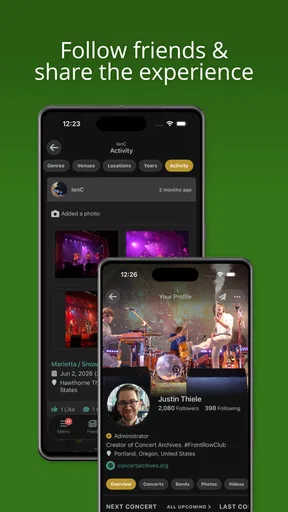
The social element works best when it supports memory. Seeing that other listeners attended the same artist or venue can add context to a personal record, especially when I am trying to remember the wider tour or compare impressions after a show. It also gives the archive a sense of life that a private spreadsheet cannot easily reproduce.
At the same time, social features introduce the usual question: how much of my concert life do I actually want to make visible? A concert history can reveal more than favorite bands. It may show where I spend evenings, which cities I visit, and how predictable my routines are. I would be selective about public notes and would avoid putting sensitive personal details into a concert entry simply because the app makes sharing convenient.
This is where user agency matters more than the app’s friendly atmosphere. I would review profile visibility, posting options, and any audience controls before adding a large backlog of shows. If I only want a private diary, I would keep my activity as limited as the available controls allow. If I enjoy the community, I would still share selectively rather than treating every entry as a public announcement.
Another trade-off is accuracy. Community archives can become richer because many people contribute, but different users may record the same event differently. Venue names can change, dates can be remembered incorrectly, and a festival appearance may be interpreted differently from a standalone show. I see the shared archive as a helpful reference and conversation starter, not as something I would cite without checking another source.
Everyday use: the night after a show
Imagine I attend a weekday concert with a friend and arrive home too tired to write a full review. The next morning, I can use the app to preserve the essentials: who played, where the event happened, and what I want to remember. I might add a short personal note, then leave the entry alone. Months later, when the artist announces another tour, that record helps me decide whether the experience was worth repeating.
This workflow is more realistic than promising myself I will maintain a detailed journal every night. It also keeps the app from becoming another obligation. The best concert archive is not the one with the longest descriptions; it is the one I can keep using when life is busy.
For frequent attendees, a second useful routine is a monthly cleanup. I would look through recent entries, correct obvious mistakes, and remove details I no longer want visible. Doing this in small batches is easier than trying to reconstruct an entire concert history after several years. It also provides a natural moment to review account settings and decide whether my sharing habits still match my comfort level.
Permissions, account choices, and sensitive moments
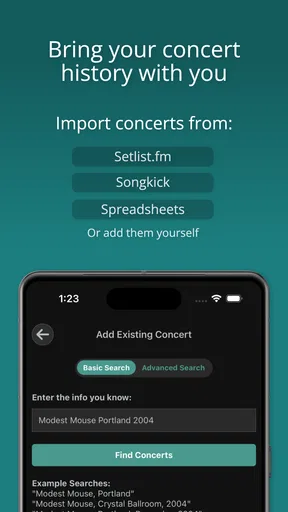
Concert apps can feel harmless because the subject is entertainment, but the personal information around a show can be revealing. A check-in, a public comment, or a visible attendance history may communicate location and routine. I would pause whenever the app asks me to connect an account, import information, or publish an activity. The question is not whether the request sounds normal; it is whether that particular convenience is worth the extra exposure for me.
I also prefer to separate a useful archive from unnecessary identity details. I would use a profile name and image that I am comfortable sharing with a music community, and I would avoid placing phone numbers, home details, travel plans, or private conversations in public-facing areas. These are ordinary precautions, but they matter more when an app encourages people to build a detailed timeline of real-world activities.
There is a practical privacy trade-off here. A more complete profile may make it easier for friends to recognize me and may improve the social experience, while a less revealing profile gives me more distance. I would start conservatively and add information only when I understand who can see it. That approach is especially sensible for younger users covered by the Teen rating.
I would also pay attention to account controls if I stopped using the service. Before abandoning any social diary, I would look for ways to edit or remove entries, change visibility, sign out of connected services, and close the account if needed. I am not claiming that every control works in a particular way; I am saying these are the controls I would actively inspect instead of assuming that deleting the app removes the account or the information associated with it.
How it compares with spreadsheets, notes, and event apps
A spreadsheet wins when I want total control. I can create exactly the columns I need, keep the file private, and export or reorganize it freely. But a spreadsheet does not naturally provide a concert-focused community or a ready-made archive to browse. It is excellent for methodical record keeping and less satisfying for rediscovering the culture around the shows.
A notes app is faster for unstructured memories. I can write a paragraph, attach a photo, and move on. The weakness is retrieval. After dozens of notes, finding every show at one venue or every appearance by an artist becomes dependent on my own tagging discipline. Concert Archives is more appealing when I want the information arranged around live events rather than stored as isolated pages.
Ticketing and event-discovery apps serve a different moment. They are usually better when I am deciding what to attend next, checking purchase details, or managing an upcoming booking. I would not replace those tools with this app. I see Concert Archives as the place I return to after the ticket has been bought and the lights have gone down.
Social platforms can offer faster conversation, but they are noisy and their feeds are not designed to preserve a careful personal history. A post can disappear into a timeline, while a concert entry is intentionally tied to an event. The trade-off is that a specialized archive may feel quieter and more deliberate. That is a strength for memory keeping, but it may disappoint anyone expecting the constant activity of a large social network.
Small habits that make the archive more useful
I found three habits particularly worthwhile. First, I would record the venue consistently, even when the event itself was ordinary. Venue history can reveal patterns in my listening life and makes old memories easier to place. Second, I would distinguish a festival appearance from a full headline show in my notes, because the length and atmosphere of those experiences are not interchangeable. Third, I would write one concrete sensory detail instead of relying on a vague rating: the sound from the back of the room, an unexpected opener, or the moment the crowd changed.
A fourth habit is to use the app as a decision aid before buying another ticket. I can look back at how often I have seen an artist, whether the previous shows felt meaningfully different, and which venues made the experience enjoyable or frustrating. That does not replace checking current information, but it gives my next choice a personal history behind it.
I would also avoid trying to make every entry impressive. A plain record for a routine event is still useful. Over-editing creates friction, and friction is one of the fastest ways to abandon a diary. The app works better when I treat it as a living index rather than a public performance of music expertise.
Who should use it, and who should skip it
I would recommend it to people who attend concerts regularly, collect memories from live music, or enjoy comparing their history with other fans. It is especially suitable for someone whose music life is spread across clubs, theaters, festivals, and repeat visits to favorite artists. The free price makes experimenting easy, and the broad Android support means an older device is not automatically a barrier.
I would be more cautious if I rarely attend shows or dislike maintaining personal records. The app cannot create meaningful history for someone who has no interest in documenting events. I would also steer away from it if my main goal is ticket purchasing, real-time venue logistics, or private journaling with no social dimension. A notes app or spreadsheet may be cleaner for those needs, while a ticket service is more appropriate for planning the next night out.
Privacy-sensitive users do not necessarily need to avoid it, but they should use it deliberately. The right experience depends on checking visibility and account options, limiting personal details, and deciding whether social participation is worth the exposure. If those decisions feel like too much work, a fully private local note may be the better fit.
My cautious verdict
After using it as both a concert log and a community archive, I think Concert Archives is strongest when it helps me remember rather than when I expect it to do everything. The focused design makes it more meaningful than a generic note, while the social layer gives individual entries a sense of shared music history. Its 4.8 average and audience of over fifty thousand installs support the impression that the concept resonates with real concert fans, but my recommendation still depends on using it with sensible account and sharing habits.
The main friction is the effort required to build a good archive. The app becomes more valuable as I add accurate, thoughtful entries, and that value does not appear instantly. Community information can also vary in precision, so I would verify important event details elsewhere. Those are not deal-breakers; they are the natural costs of combining personal memories with a user-built record.
For me, the best reason to install it is simple: I want to look back and know where live music has taken me. I would begin with a handful of recent shows, keep the first entries brief, inspect every account and visibility choice, and expand only after the workflow feels comfortable. If that sounds appealing, this free Events app is worth trying. If I only need tomorrow’s ticket or a completely private notebook, I would choose a more specialized alternative instead.
Verdict
Strengths of Concert Archives
- Extensive archive of past concerts, venues, artists, and setlists.
- Useful for discovering an artist’s complete live-performance history.
- Personal concert tracking helps preserve and organize memorable shows.
- Venue pages make it easy to find events held at favorite locations.
- Community contributions can add rare or missing concert information.
Limitations of Concert Archives
- Some entries may contain incomplete, duplicate, or user-submitted details.
- The interface feels more functional than modern or visually polished.
- It is less useful for buying tickets or finding upcoming local events.
- Search results can be inconsistent when artist or venue names vary.
- The experience depends heavily on the size and accuracy of its database.
Similar Picks in This Category
View All
Easy Quran Mp3 Audio Offline
Muslim Worldapp4.7

Invitation Maker: Cards & RSVP
Greetings Island4.9

StubHub - Live Event Tickets
StubHub4.3

Fever: Events & Tickets
Fever Labs4.7

Epic Freebie Games Radar
Arioch Pds - Apps & Games4.4

Invitation card Maker, Design
Splendid App Maker4.9
Frequently Asked Questions
What is Concert Archives, and what can I use it for?
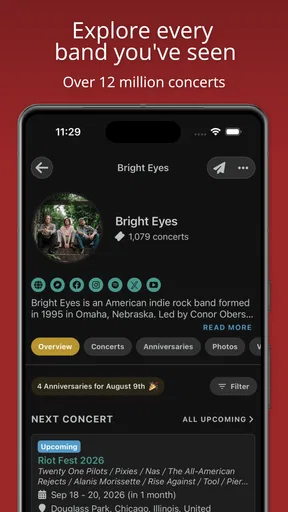
Concert Archives is a music-focused platform for discovering, documenting, and remembering live concert experiences. You can look up artists, venues, tours, and past events, then add concerts you attended to your personal history. It is especially useful for fans who want to organize their live-music memories, explore an artist’s performance history, and see which shows other fans have attended.
Can I find upcoming concerts and events on Concert Archives?
Concert Archives is primarily known for its extensive database of past concerts and fan-submitted attendance records, although available event information may also include tour or performance details depending on the artist and location. Before relying on it for tickets or final scheduling, check the official artist, venue, or ticket provider, since dates, lineups, and availability can change and may not always be updated immediately.
Do I need an account to use Concert Archives?
You can generally browse artist pages, concert histories, venues, and other publicly available information without creating an account. However, registering is recommended if you want to maintain a personal list of attended concerts, contribute missing information, interact with the community, or keep your activity connected across devices. Some features may require signing in, so availability can depend on the current app or website version.
How accurate is the concert information on Concert Archives?
Concert Archives contains a large amount of useful historical information, but much of it is collected or corrected through fan contributions. This means accuracy can vary by artist, venue, country, and event. Setlists, opening acts, dates, and venue details may occasionally be incomplete or incorrect. Treat the database as a valuable reference, while confirming important details through official sources, ticket records, venue archives, or artist announcements.
Is Concert Archives free to download and use?
Concert Archives can generally be accessed without paying for basic browsing and concert-history features, but the exact availability of mobile applications, optional services, advertisements, or account-related features may vary by platform and region. Before downloading, review the current Google Play Store or Apple App Store listing for pricing, subscriptions, in-app purchases, permissions, and supported devices so you understand any possible costs.
